

Why focus your budget on AI content tools now
Small merchants face a crowded options list: headline generators, image upscalers, draft writers, and automated SEO helpers. The right purchases are those that reduce repetitive work and improve customer-facing pages—product descriptions, blog posts, and key landing copy—without adding long review cycles or expensive trial-and-error.
Budget decisions should prioritize tools that integrate into your existing workflows and return visible improvements: higher-quality visuals, clearer product copy, and fewer manual rewrites. Expect to review every AI output; a generic connection alone won’t ensure faithful visuals, clear layouts, helpful internal links, or accurate product facts.
- Spend where outputs are customer-visible: product pages, feature images, and blog posts.
- Value tools that reduce repetitive edits, not just shiny features.
- Plan review time—AI drafts save work but don’t eliminate verification.
Choose one dependable text assistant for product copy
Rather than subscribe to many writing tools, pick a single text assistant that produces concise product descriptions, bullet lists, and short FAQ answers. Use it for first drafts: standardized templates for sizes, materials, shipping, and benefits. Keep control by feeding verified product facts and style preferences into prompts so outputs are consistent with your brand voice.
Operationally, set a small batch workflow: generate 5–10 product descriptions at a time, edit them in a single session, and save the final versions to your content library. This reduces context-switching and makes proofing faster—especially helpful when you can preview visuals alongside the copy before publishing.
- Pick one writer tool and standardize templates for product copy.
- Batch content generation (5–10 items) to speed edits and maintain tone.
- Always compare AI-generated facts to product specs before publishing.

Allocate image budget to a few high-impact visuals
Visuals move shoppers. On a small business budget, prioritize 5–10 key images per product or article—hero shots, lifestyle images, and one or two detail close-ups. Use AI-assisted image tools to create variants or clean backgrounds, but review each variant for fidelity: colors, textures, logos and scale can be altered unintentionally by automatic edits.
Consider an image spend plan: allocate more of your limited image budget to top sellers and seasonal pages, and use simpler, lower-cost edits for long-tail items. Keep an original file and a preview before applying final edits so you can revert or adjust without losing the source.
- Focus image spend on hero and lifestyle shots (5–10 visuals/page).
- Always keep originals and preview edits before applying.
- Reserve higher-cost image edits for best sellers and seasonal pages.
Use AI for blogs strategically, not continuously
Blog content can help SEO and customer education, but on a tight budget, prioritize pieces that directly support product pages—how-to guides, comparisons, and care instructions. Generate up to ten related posts per campaign to populate a topical hub; ensure each post links clearly to relevant products and collections for real merchant value.
Set clear expectations: AI drafts are starting points. Fact-check product details, verify any “how-to” steps, and refine calls to action so they align with current offers and shipping times. Maintaining clarity about what the AI produced and what you edited helps keep content trustworthy.
- Create targeted blog posts that directly support product pages.
- Limit campaigns to batches you can thoroughly review (e.g., up to 10 posts).
- Ensure internal links to products and collections are accurate and useful.
Read the connected-content guide or explore product and blog specimens.
Workflow and quality control that save time and mistakes
Design a simple review workflow: generate drafts, edit in one pass, preview product page or article with visuals, and publish. Use checklists for common errors—material accuracy, size data, shipping info, and local legal phrases—so edits don’t rely on memory. This prevents the false assumption that a connection alone guarantees faithful results.
Set a modest cadence for updates: weekly for best sellers, monthly for broader catalogs. Track which AI outputs required the most correction; that signals where human templates or clearer input data could reduce future edits and save budget.
- Use a checklist for fact checks and legal phrasing before publishing.
- Preview combined text and images before finalizing pages.
- Monitor error patterns to improve templates and reduce manual fixes.
Budget and buy: practical cost choices for small shops
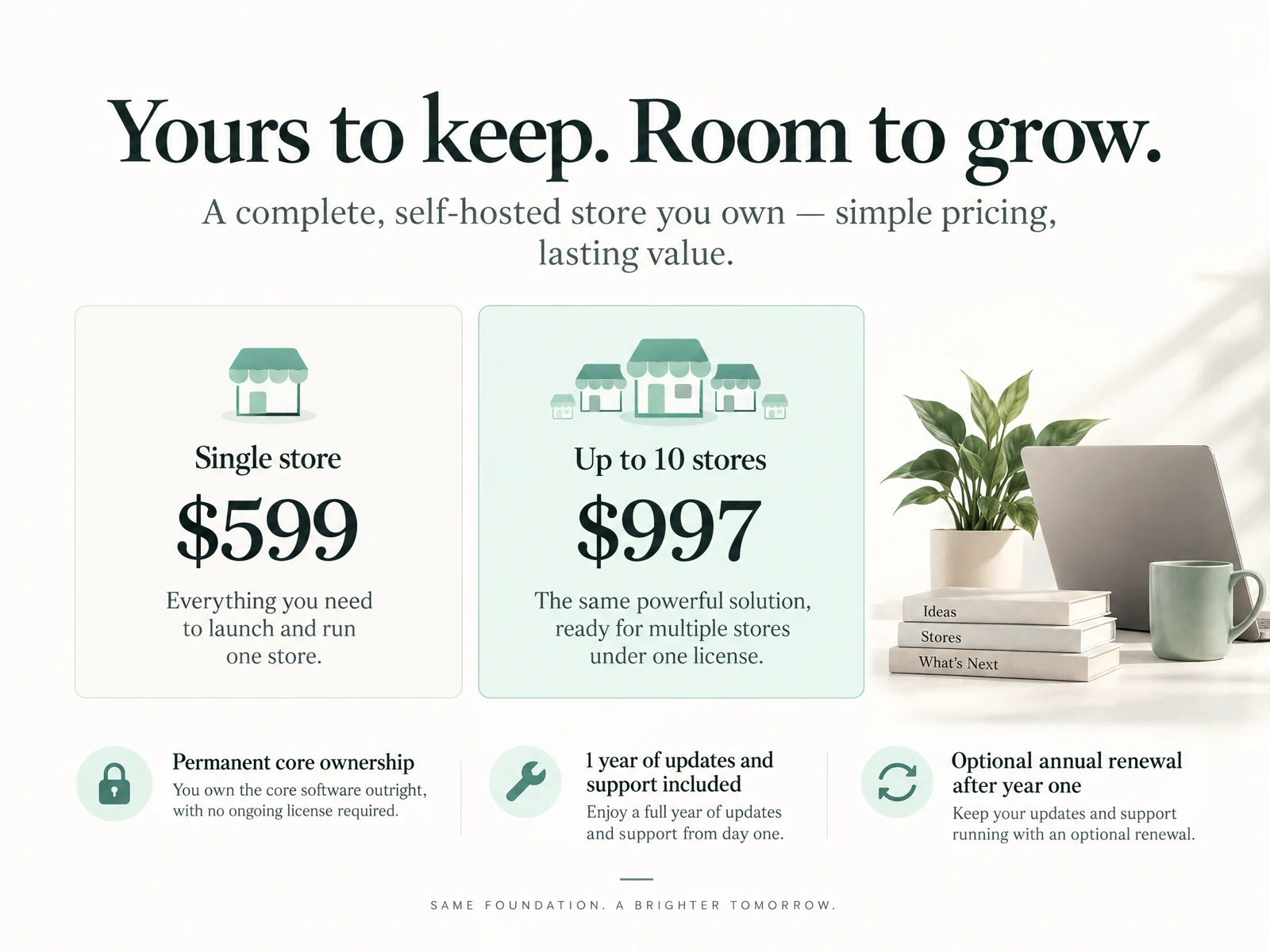
On a small business budget, focus on one text tool, a modest image credit plan, and a blog campaign allowance. Avoid buying many single-feature subscriptions; consolidation lowers cognitive overhead and simplifies renewal decisions. Make sure the license fits the scale you need—one-store plans are often more cost-effective for merchants with small catalogs.
For merchants considering OCTOshopX: it’s positioned as a product & blog studio for real-product makeovers—intended to handle small campaign sizes (1–10 products/pages per run and up to ten blog posts per campaign) with preview and undo. Pricing is one-time for core software with an optional renewal; review outputs carefully and verify facts before publishing.
- Consolidate to one writing tool + one image credit plan + blog campaign allowance.
- Choose single-store licensing if you run one shop; compare long-term costs.
- When using any studio tool, always verify AI outputs against product facts.
How many AI-generated images should I use per product on a small budget?
Aim for 5–10 images per product: hero, lifestyle, and a couple of detail shots. Reserve higher-cost edits for top sellers and use simpler, lower-cost variants for the rest.
Can AI replace human editing for product pages?
Not entirely. AI can produce efficient drafts and variants, but merchants must verify facts, review visuals for fidelity, and adjust tone. A short human review workflow preserves trust and reduces costly mistakes.
What’s the best way to prevent inconsistent product facts from AI outputs?
Standardize templates and feed verified product specifications as inputs. Use a checklist during review for dimensions, materials, warranties, and shipping so errors are caught before publishing.
Install OCTOshopX. Give your store one clear job.
Prioritize one reliable writer, a modest image budget, and focused blog campaigns. Standardize inputs, batch work, and always review AI outputs against verified product facts. Install OCTOshopX.
A calm Shopify Product & Blog Studio: 5–10 useful visuals, connected articles and products, preview before publishing, and 1-Click Undo when needed.