

Why distinguishing free vs. trial matters for merchants
Free ai content tools shopify merchants try can feel like a discovery playground until limits bite. Knowing whether a tool is genuinely free or time-limited affects how you schedule content, where you place CTAs, and how you budget for visuals or SEO work.
For small shops that publish a few product pages and weekly blog posts, an unexpected trial expiration can disrupt campaigns and leave draft content in unusable states. Treat “free” as a working assumption to verify—plan content flows that survive interruptions, and keep a quick fallback plan for manual edits.
- Verify if the free tier has monthly usage caps, watermarking, or export limits.
- Match tool limits to your cadence—e.g., 1–10 products per month versus burst needs.
- Use free tiers for drafts, not final publishing without review.
Common real free features versus typical trial fences
Tools that are truly free often provide limited but persistent capabilities: basic text generation, light keyword suggestions, small image edits, or a fixed number of exports per month. These can sustain a lean content rhythm if you accept simpler outputs and more manual refinement.
Trials usually unlock full features for a short window—higher word counts, advanced templates, bulk exports, or high-resolution images. The trap is relying on trial-only capabilities for core product pages: when the trial ends, formatting, visuals, or internal link sets you introduced may require paid recovery or rework.
- Free: basic copy drafts, short keyword hints, low-res images or watermarked visuals.
- Trial: unlimited exports, advanced templates, high-res visuals, bulk operations.
- Check whether generated content keeps provenance or becomes inaccessible after trial.
Practical workflows using free tiers without interruption
Design a two-stage workflow: create and iterate in free tools, then finalize in systems you control. For example, use a free text generator to draft product descriptions and a separate image editor for thumbnails—export lightweight text and low-res images, then polish within Shopify or your chosen image editor before publishing.
Schedule work around known limits: if a free plan provides 10 writes per month, assign them to the highest-impact pages—new product launches or a seasonal collection—and reserve cheaper manual edits for the rest. Keep an asset log that records where each piece was generated and any trial-only steps applied.
- Stage 1: Draft in free tools; Stage 2: polish locally and upload clean files to Shopify.
- Reserve trial features for high-impact bursts, not continuous creation.
- Log tool usage and expiration dates on a simple calendar.
Handling images and visuals: when free isn’t fully usable
Many free image AI tools offer low-resolution outputs or added watermarks until you upgrade. For product pages, a model or lifestyle photo with a watermark can erode trust, so use free visuals for brainstorming, A/B concepts, or thumbnails behind verified captions—not as final hero images.
If you need modest visuals for 1–10 pages per campaign, split tasks: generate concepts with free tools, then reproduce or refine them with inexpensive photo shoots, local editors, or paid single-use image credits. This keeps final pages clean and avoids sudden licensing headaches when a trial ends.
- Use free visuals for concept and placement; avoid publishing watermarked hero images.
- For small runs, invest in a single paid export or a photographer/retoucher to finalize top pages.
- Maintain a backup of originals and a written note of any tool-specific visual edits.
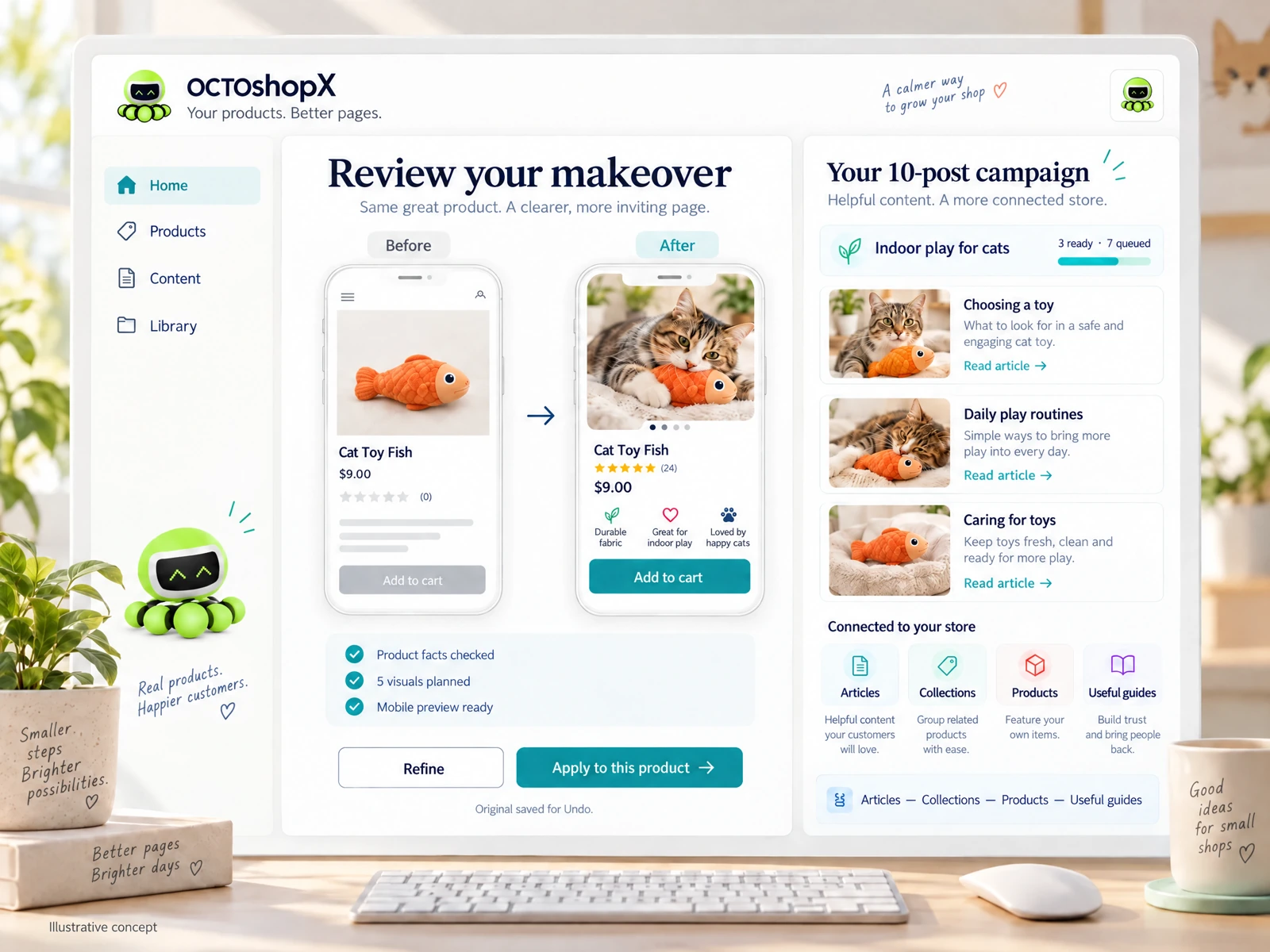
Read the connected-content guide or explore product and blog specimens.
SEO, internal links and content fidelity: limits to watch
Free ai content tools shopify merchants rely on may give keyword suggestions but often lack context-sensitive internal linking or consistent structural templates. That means a generic connection alone won’t ensure faithful visuals, clear layouts, reviewable internal links, or accurate schema markup—those need manual checks.
When using free suggestions for meta titles or descriptions, verify character limits, preview how they display in search results, and manually embed internal links and product handles in Shopify. Don’t assume exports will preserve hero placement, alt text, or editorial calls-to-action reliably.
- Always preview shop pages in a staging or draft environment before publishing.
- Manually add internal links, image alt text and schema where free tools fall short.
- Treat free suggestions as prompts, not final structured data.
Budgeting and upgrade decisions for small stores
Decide upgrades by outcome: if a paid plan replaces hours of manual work for 1–10 product pages or ten blog posts per campaign, it can pay. Balance the one-time or annual fees against your content cadence and whether you require high-res visuals or bulk operations regularly.
If you plan occasional intensive campaigns, consider short-term trials or paid single-run services instead of committing to subscriptions. Keep renewal dates visible and compare the real cost of automation versus manual labor, factoring in review time and the risk of content drift after trials end.
- Upgrade when a paid feature consistently saves time or improves conversion on priority pages.
- Use short paid runs for launch campaigns rather than continuous subscriptions when possible.
- Track renewal dates and ROI in a simple spreadsheet.
Can I safely use free AI-generated descriptions on product pages?
Yes—if you treat them as starting drafts. Edit for accuracy, brand voice, and SEO before publishing. Verify facts like materials, dimensions and warranty with your suppliers, and preview how descriptions appear on desktop and mobile to avoid layout issues.
Are free visuals legally safe to publish?
Free visuals can come with usage restrictions or watermarks. Use them for concepting and drafts, not final hero assets, unless the tool explicitly grants commercial, watermark-free rights. When in doubt, reproduce the idea with your own photos or a retoucher you control.
How do I avoid losing content when a trial ends?
Export all generated text and images to local storage or into Shopify drafts before a trial expires. Keep a simple log of which features were trial-only so you can recreate or pay for selected exports if needed. Never rely on a trial-only editor as a single source of truth.
Install OCTOshopX. Give your store one clear job.
Clear workflows and conservative use of trials keep your shop running. Plan drafts in free ai content tools shopify options, polish locally, and schedule paid bursts for launches. Install OCTOshopX.
A calm Shopify Product & Blog Studio: 5–10 useful visuals, connected articles and products, preview before publishing, and 1-Click Undo when needed.