

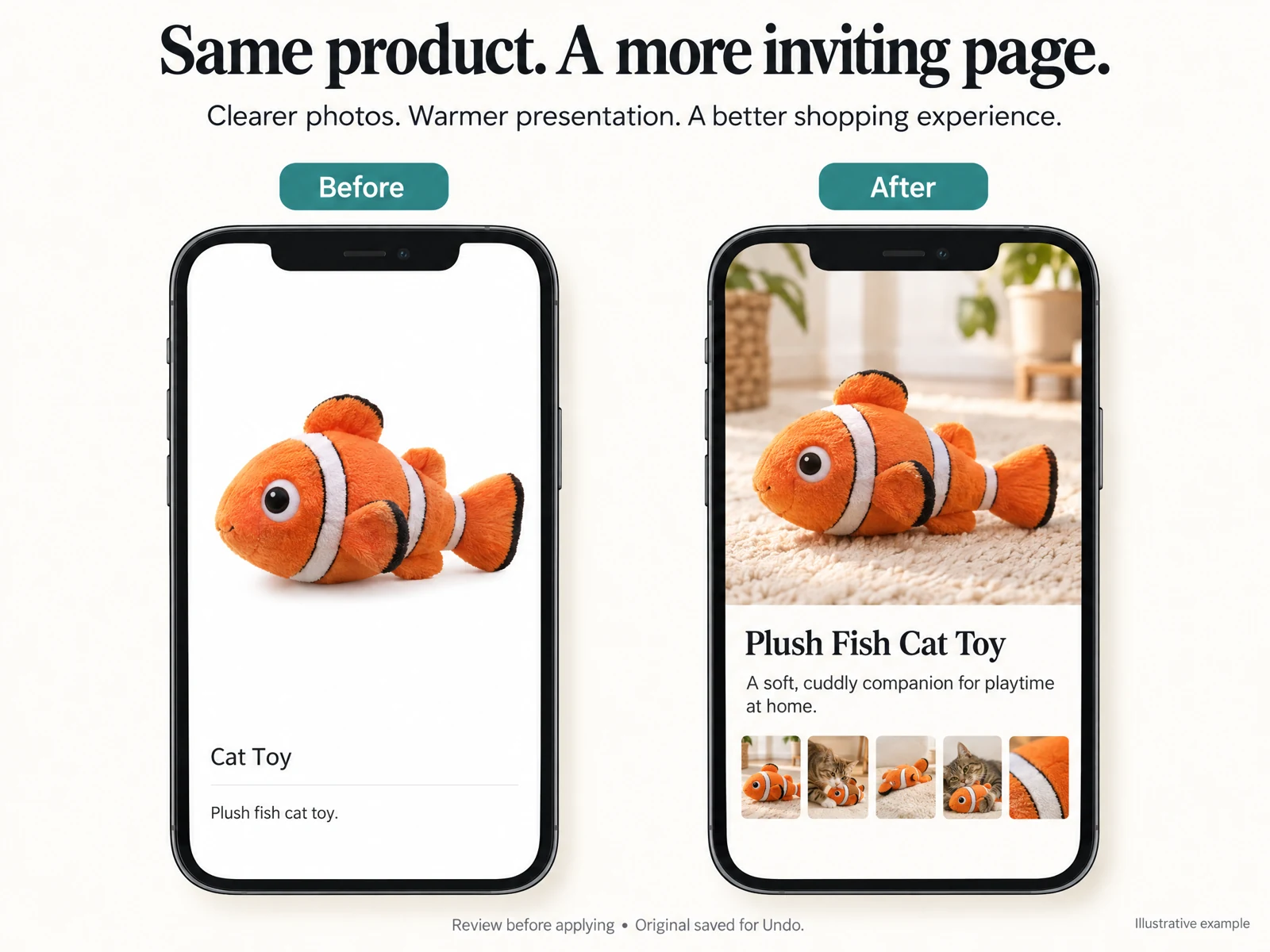
Start with a merchant-first brief
Before you prompt any AI, create a short brief that captures your product’s key facts: who it’s for, what problem it solves, main materials or ingredients, and any legally required claims. Treat this brief as a checklist for truth: AI will compose, but you must verify accuracy against your supplier specs, labelling and photos.
Keep the brief to a few sentences plus 4–6 bullet facts. This makes prompts consistent across variations (short, long, feature list) and speeds review when you generate multiple descriptions with different tones.
- Identify buyer persona and primary benefit in one sentence
- List three verifiable product facts (size, material, origin)
- Note tone (authentic, playful, clinical) and mandatory claims
Use AI to draft focused variants, then compare
Ask the AI to produce 2–4 focused variants from the same brief: short blurb for thumbnails, mid-length for product pages, and a longer persuasive version for email or ads. Having variants lets you match length to layout and run quick A/B tests without rewriting from scratch.
When you receive drafts, compare them side by side against your brief. Reject anything that invents features, vague health claims, or mismatched sizing. Keep the best lines from each variant and combine manually to preserve accuracy and brand voice.
- Generate 3 lengths: 50–80, 150–220, 300–400 words
- Flag and remove any unverifiable claims immediately
- Save favorite lines to a ‘swipe’ file for future reuse

Edit for clarity, scannability, and SEO
Shoppers scan quickly. Break descriptions into a short opening sentence that sells the primary benefit, a concise features list, and a final sentence with a call to action. Keep sentences active, use plain vocabulary, and put critical buying details near the top.
For the target phrase write shopify product descriptions ai, place it naturally in one mid-length or long variant—avoid stuffing. Use related search-friendly phrases (e.g., product care, specifications, size guide) in bullets and subheadings so the page reads well and helps discoverability without harming conversion.
- Lead with one-sentence benefit, then features bullets
- Include one natural use of the keyword in a longer variant
- Add size, materials, and care in a concise specs block
Pair text with faithful visuals and microcontent
Descriptions work best when visuals confirm claims. Label images with captions that echo key facts (e.g., dimensions in the caption of a scale photo). If you use AI-generated visuals, review them critically—generic or misleading imagery undermines trust even if copy is excellent.
Write microcopy for CTAs, variant buttons, and quick product benefits that match the product description’s tone. Short reinforcing phrases like ‘One-year warranty’ or ‘Ships in 24 hours’ reduce friction and can be included in the description’s final paragraph for clarity.
- Caption images with one factual detail to reinforce copy
- Keep microcopy aligned with page length and tone
- Avoid visuals that imply untrue product features
Read the connected-content guide or explore product and blog specimens.
Test with simple experiments and customer signals
Run small live experiments: swap the short blurb and the mid-length description on identical product pages for a week, then compare clicks to cart and add-to-cart rate. Use your store analytics and simple sampling rather than complex statistical claims—practical directionally correct data is enough for most merchants.
Listen to customer signals: questions in chat, returns reasons, and review comments are gold. If customers repeatedly ask about fabric weight or battery life, make that information prominent in the description—AI drafts are only useful if they address real friction points.
- A/B test two variants for a week and compare add-to-cart rates
- Scan customer Q&A and reviews to find missing facts
- Prioritize fixing friction that causes returns or messages
Workflow to keep descriptions accurate at scale
Use a simple process: brief → generate variants → human edit → visual check → publish. Assign a reviewer for factual checks and a second person for tone and clarity. Keep an ‘original saved’ copy so you can Undo any applied changes and restore prior wording if needed.
Schedule periodic audits—quarterly for fast-moving SKUs, semiannually for stable products—to re-verify facts and refresh language. AI helps scale language creation, but a lightweight human gate keeps content accurate and legally safe.
- One-person factual check + one-person tone edit per item
- Keep original drafts saved for easy Undo and rollback
- Audit cadence: quarterly for new SKUs, semiannually otherwise
Will using AI mean my descriptions sound generic?
Not if you use a clear brief and edit outputs. AI provides rapid drafts; your edits inject brand-specific details, customer voice, and factual checks. Preserve unique selling points and examples that only you can provide—those make descriptions feel personal.
How do I avoid AI hallucinations or false claims?
Treat AI outputs as drafts, not facts. Verify any technical, safety, origin or performance claims against supplier documentation and tests. Remove or reword anything that cannot be directly supported by your sources before publishing.
Can I automate description updates for large catalogs?
You can scale with templates and consistent briefs, but keep a human verification step. For high-volume updates, sample-check outputs and prioritize automated edits for non-claim text (tone, formatting) while leaving factual changes for manual review.
Install OCTOshopX. Give your store one clear job.
AI can accelerate writing shopify product descriptions ai that convert when you pair it with concise briefs, human review, faithful visuals and simple testing. Keep accuracy checks, reuse proven lines, and prioritize customer questions. Install OCTOshopX.
A calm Shopify Product & Blog Studio: 5–10 useful visuals, connected articles and products, preview before publishing, and 1-Click Undo when needed.