


Why Google Gemini for WordPress content in 2026
Google Gemini offers a conversational, multi-modal writing assistant that can accelerate drafting blog posts, product storytelling, and category pages for WordPress. For merchants, the main value is speed: Gemini helps turn product notes, photos, and a short brief into structured post drafts you can review and refine. Treat those drafts as first passes, not finished copy.
Legacy 2025 workflows often used simpler text generators or templates; Gemini’s improvements in context retention and multimodal prompts mean you can feed images and short briefs to get more coherent drafts. Still, a generic connection between Gemini and WordPress won’t guarantee faithful visuals, structured internal links, or correct product metadata—those need human review and manual adjustment inside the WordPress editor.
- Use Gemini for structured first drafts and outlines, not final publication.
- Combine text prompts with product images for richer drafts.
- Always check visuals, links, and product facts after generation.
Preparing a merchant-friendly brief for better drafts
A concise brief focuses Gemini’s output. Include target audience, primary product benefits, desired post length, tone (e.g., friendly, expert), and one or two target keywords such as google gemini wordpress posts. Add three facts that must be accurate: price, sizing, or shipping details. This reduces factual drift and keeps the AI anchored to your store’s realities.
Also prepare visual guidance: list which product photos to highlight, captions you prefer, and where to place them in the post. When you define desired internal links—product pages, collection pages, or related guides—note their anchor text. The more structured your brief, the fewer manual edits you’ll need in WordPress.
- Include audience, tone, length, and target keyword in the brief.
- List three non-negotiable facts to avoid hallucinations.
- Specify visual placement and anchor text for internal links.
Drafting: prompts, multimodal inputs, and outline checks
Start with a clear instruction: ask Gemini to produce an outline first, then expand each heading into 150–300 words depending on post length. If you provide product photos, ask Gemini to suggest captions and alt text drafts. Review the outline immediately to ensure structure matches your store’s content strategy—headlines should be scannable and useful for shoppers.
When expanding sections, request short, scannable paragraphs, bullet lists for features, and a short call-to-action that links to a product or collection. Keep prompts iterative: refine tone, remove fluff, and insist on factual consistency. Remember that even strong multimodal outputs require human ownership before publishing.
- Ask for an outline first, then expand section-by-section.
- Request captions and alt text for each provided image.
- Use bullets for features and a clear call-to-action to a product page.
Review and fact-checking workflows in WordPress
Once you have a draft, paste it into the WordPress editor and perform a content QA pass. Verify prices, SKUs, sizing, shipping, and warranty statements against your store admin. Replace any ambiguous phrasing with exact store policies. For SEO, check the post title, meta description, and headings to ensure the target keyword google gemini wordpress posts appears naturally where relevant.
Check visual fidelity: ensure images are the correct files, sizes, and aspect ratios, and that captions and alt text meet accessibility needs. Manually insert the internal links you specified in the brief; a generic AI-generated link may not point to the canonical product or collection. Finally, preview the post on mobile and desktop before scheduling or publishing.
- Verify store facts from admin before publishing.
- Confirm images, captions, and alt text in the editor.
- Manually place canonical internal links for navigation and SEO.
Read the connected-content guide or explore product and blog specimens.
Polish: voice, microcopy, and post metadata
Refine voice and microcopy to match your brand. Shorten product descriptions to scannable bullets and tweak calls-to-action to match existing site language (for example, use 'Add to cart' versus 'Buy now' according to your checkout flow). If Gemini’s voice is too generic, edit paragraphs to incorporate unique brand phrases and customer references.
Complete metadata: craft a concise meta description, select a featured image, and pick categories and tags that match your content taxonomy. Add structured data snippets within WordPress fields where available—product schema, price fields, availability—so search engines and social previews better reflect your store’s data. These manual steps significantly improve the post’s clarity and search presentation.
- Match microcopy and CTAs to your store’s tone and flows.
- Fill meta description, featured image, categories, and tags.
- Add product-relevant structured fields in WordPress for accuracy.
Publishing cadence and measuring outcomes
Set a realistic publishing cadence. For small shops a rhythm of one to two high-quality posts per week is manageable and gives you time to review AI drafts thoroughly. Use content clusters—product posts, how-tos, and buying guides—that link to product pages, rather than a scattershot schedule. Prioritize posts that address clear customer questions or drive internal category links.
Measure outcomes with simple metrics: organic visits, product page click-throughs from the post, and purchases attributed to post traffic. Track which posts convert best and iterate on those templates. Remember that a connection between Gemini and WordPress can speed creation, but conversion depends on accurate product info, helpful visuals, and good internal navigation—areas that always need human oversight.
- Aim for 1–2 reviewed posts per week for small shops.
- Use content clusters linking to product and collection pages.
- Track clicks to product pages and conversions from each post.
Can I publish Gemini-generated drafts directly without edits?
No. Treat Gemini drafts as starting points. Always verify factual details like price, SKU, and shipping, confirm images and alt text, and ensure internal links point to canonical product/collection pages before publishing.
How do I prevent AI hallucinations in product posts?
Provide a strict brief with non-negotiable facts, check generated statements against your store admin, and replace any speculative language. Keep prompts focused and iterate on sections rather than asking for long, single-pass articles.
Will connecting Gemini to WordPress keep my layout and images faithful?
A connection can transfer text and suggested images, but it won’t automatically ensure faithful layouts, correct aspect ratios, or precise internal linking. Those visual and structural details need review and often manual adjustment inside WordPress.
Install OCTOshopX. Give your store one clear job.
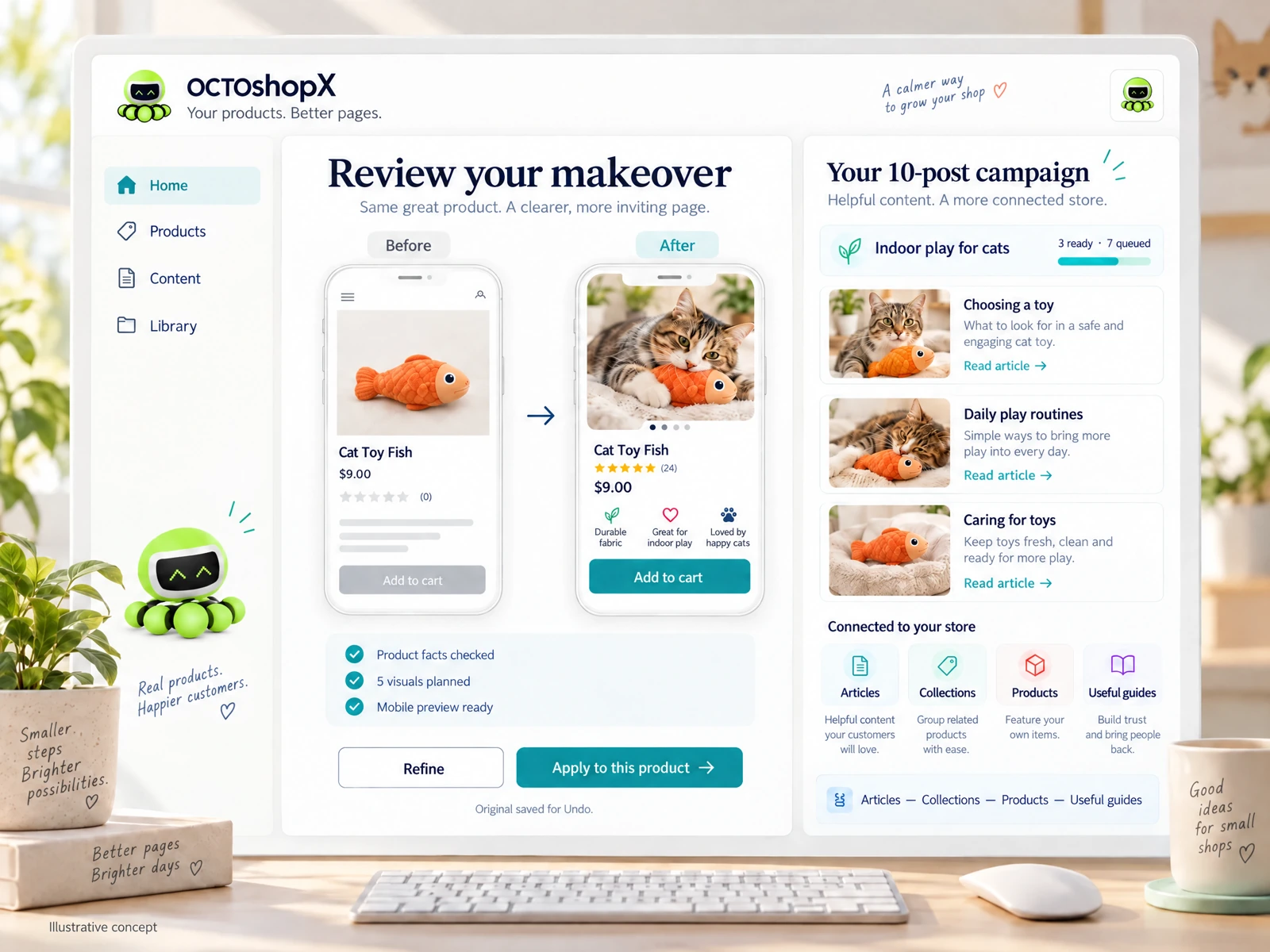
Use Google Gemini to accelerate drafting, then verify facts, visuals, and links in WordPress before publishing. For high-quality product and blog makeovers that keep visuals, internal links, and previews accurate, consider a focused tool that previews changes and preserves originals. Install OCTOshopX.
A calm Shopify Product & Blog Studio: 5–10 useful visuals, connected articles and products, preview before publishing, and 1-Click Undo when needed.