


1. Define an orphan page—and check what ‘orphan’ means in your store
An orphan product page has no useful internal links pointing to it from other pages on your website. That can leave shoppers without a natural route to a product and make discovery by crawlers less straightforward. Google says links help it find pages and that every page you care about should have at least one link from another page on your site; it does not prescribe a magic link count. [1]
Shopify automatically generates a sitemap containing products, collections, pages, and blog posts. But a product listed there may still be hard for a shopper to find through storefront navigation. A sitemap helps search engines discover URLs; it does not replace useful internal links. [2]
- Start with active, buyable products that matter to revenue, seasonality, or a specific campaign.
- Treat ‘orphan’ as an audit clue, not a reason to add links blindly: some products are intentionally unlisted or private.
2. Build a reliable list of pages to inspect
Export active products, then compare their URLs with a live storefront crawl and the URLs in sitemap.xml. Shopify generates and updates this sitemap automatically; submitting it in Google Search Console can help Google discover and crawl pages. Crawling and indexing take time, and Shopify says timing is not guaranteed. [2]
A crawler starting at your homepage can only report the routes it can reach. Compare those results against product URLs from a sitemap or export. Screaming Frog describes sitemap analysis for missing, non-indexable, and orphan pages, alongside internal-link and anchor-text reports. Ahrefs Site Audit describes site crawling, link checks, and internal-link suggestions. These are vendor-stated capabilities, not guarantees for every Shopify configuration. [3] [4]
- Normalize URL variants before comparing: canonical host, trailing slash, redirects, and product handles should not create duplicate rows.
- Keep separate columns for active status, inventory, collection membership, crawl status, and existing incoming links.
3. Confirm the product is meant to be discoverable
Before adding links, confirm the product is active, published to Online Store, intended for public discovery, and has a working URL. Check canonical, robots, noindex, redirects, and theme or app behavior; adding a link will not correct those technical problems.
Shopify’s Unlisted status is restrictive: it hides products from internet search and the sitemap, and from Shopify-powered collection pages, storefront search, and recommendations. It may suit a direct-link-only replacement part, but not a product meant to attract organic discovery. [2]
- For an active seasonal item, confirm the product is published and not accidentally unlisted before changing navigation.
- Do not try to ‘fix’ a deliberately private product by making it broadly crawlable; confirm the business purpose with its owner.
4. Add links where shoppers would naturally expect them
Select useful entry points: a focused collection, related-products module, buying guide, or seasonal landing page. A tea shop might link a limited-edition jasmine sampler from the loose-leaf collection and a guide comparing floral teas. Add a route because it helps someone choose, not merely to raise a link count.
Google recommends crawlable links in an anchor element with an href and concise, descriptive text. A collection card labelled “Jasmine sampler” is clearer than “Click here.” Natural language gives readers context; stuffing related keywords into link text does not. [1]
- Link from a page that itself can be found and used; an isolated page pointing to another isolated page does little for overall navigation.
- Avoid repetitive sitewide links or unrelated collection placements that make the storefront harder to browse.
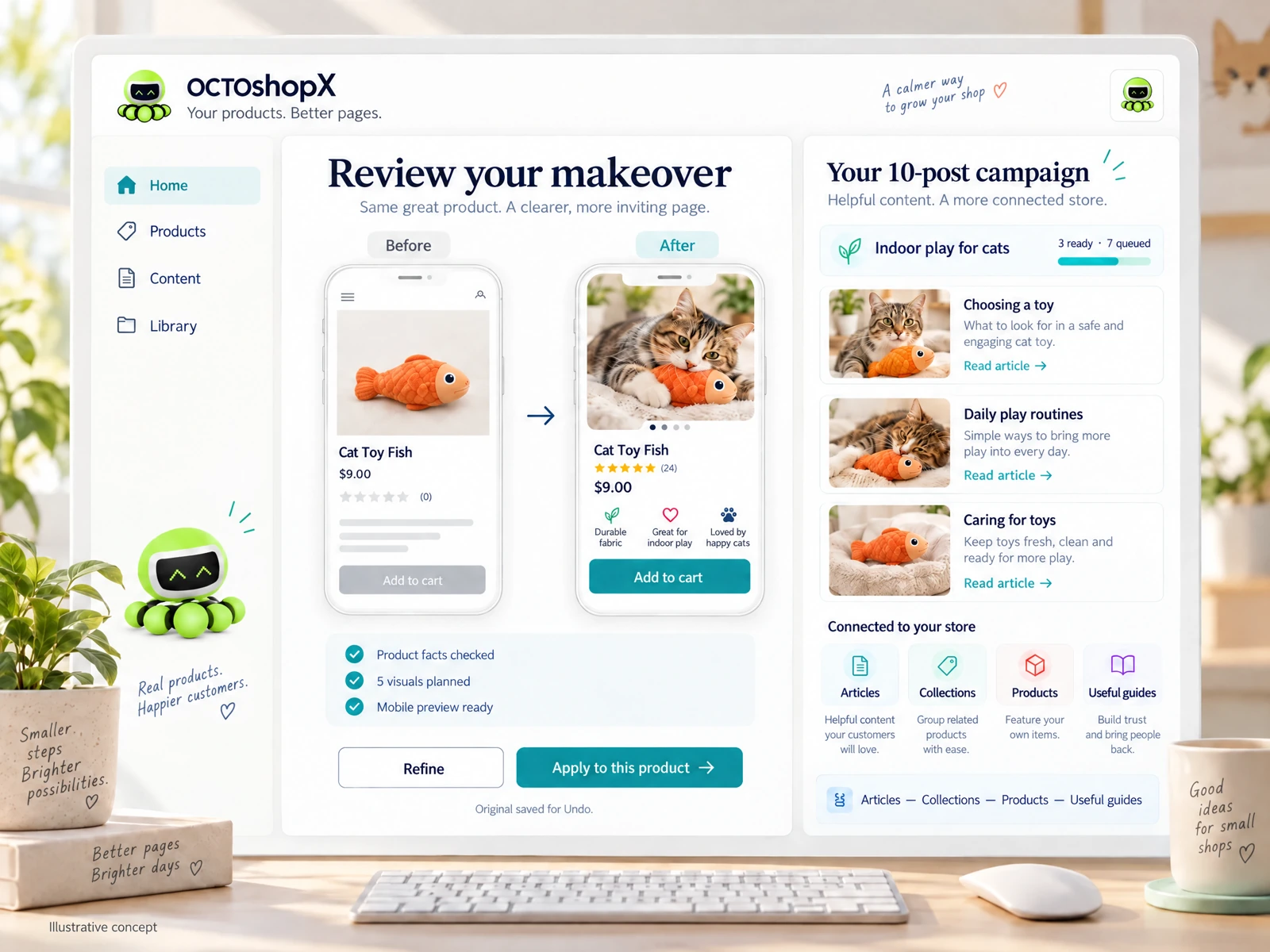
Read the connected-content guide or explore product and blog specimens.
5. Make collection and editorial routes genuinely useful
Collections work as hubs when they group products around a real shopping task, such as travel-friendly bottles or beginner embroidery kits. Keep the title clear, publish the collection, and order products sensibly. If a collection is too broad, create a focused route or use an explanatory guide rather than adding confusing menu items.
Editorial content can connect questions to products. A linen duvet guide can link to relevant sizes or weaves, while product pages can point back to comparison help. Keep details accurate. Internal links support navigation and discovery; they do not guarantee rankings or indexing.
- Use cross-links between complementary products only when the recommendation is relevant—for example, a camera body and compatible lens.
- Place important routes in visible collection descriptions, navigation, or article copy rather than relying only on a hidden or script-only interaction.
6. Recheck the route, then monitor outcomes
After publishing, test the route on mobile and desktop. Confirm the link works and leads to the intended canonical product URL without an unexpected redirect or error. Rerun the crawl and check Search Console when investigating indexing or requesting recrawl. Shopify says recrawling can take time and Google gives no timing guarantee. [2]
Prioritize by customer value, not an arbitrary link quota. A stocked hero product with impressions but few visits may need a better collection route; a discontinued item may need a replacement or retirement decision. Review after launches and seasonal changes.
- Record the date, source page, link text, destination, and follow-up crawl result.
- If a product is retired, update links to a relevant alternative or category and handle the old URL deliberately rather than leaving broken routes.
Does being in Shopify’s sitemap mean a product is not orphaned?
No. Shopify’s sitemap includes product URLs, but that does not prove the product has a useful link from another storefront page. Compare your sitemap or product export with a crawl of internal links, then decide whether the product should be discoverable through collections, related products, or editorial content. [1] [2]
How many internal links should each Shopify product have?
There is no universal ideal count. Google says there is no magical number of links a page should contain and recommends linking every page you care about from at least one other page. Add contextual routes that help shoppers, rather than manufacturing a quota. [1]
Will adding a collection link make Google index a product?
It can improve the route by which crawlers and shoppers discover a page, but it does not guarantee indexing. Check that the product is published, accessible, and not intentionally unlisted or excluded, then monitor Search Console. Shopify says indexing takes time and Google does not guarantee how long it takes. [2]
Sources & comparison notes
Provider-described features and prices can change. Check the linked sources and purchase terms before choosing a service.
- Link best practices for Google · checked 2026-10-17
- Shopify Help Center: Finding and submitting your sitemap; Hiding a page from search engines · checked 2026-10-17
- Screaming Frog SEO Spider · checked 2026-10-17
- Ahrefs Site Audit · checked 2026-10-17
Install OCTOshopX. Give your store one clear job.
Start with a trustworthy URL list, confirm each product is meant to be public, then give it a relevant route from a collection or guide. Verify the link and revisit priority products as your catalog changes. OCTOplux is developing OCTOshopX, a planned Shopify product and editorial workflow that is not yet available to install. Install OCTOshopX.
A calm Shopify Product & Blog Studio: 5–10 useful visuals, connected articles and products, preview before publishing, and 1-Click Undo when needed.